Question: Mike, we own Sage 100 ERP (formerly Sage MAS90); we also use ADP for our Payroll. How can we import the ADP Payroll information into the Sage 100 ERP General Ledger? We spend many hours manually typing this data into Journal Entries now.
Answer: You can import ADP Payroll into Sage 100 ERP, using the General Ledger Data Exchange Utility that is a part of the General Ledger module.
First Step: You will need to ask your payroll company to provide you with a CSV file of the General Ledger data. In the example below we have used the Alternate Exchange Format .
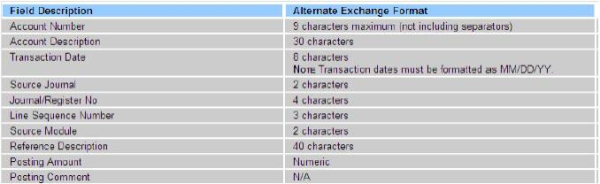
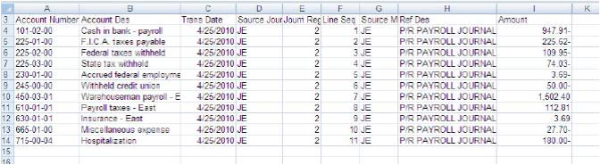
Second Step: You will need to setup the Data Exchange, General Ledger>General Ledger Exchange. This will open up a wizard as shown, and follow comments and screen shots below:
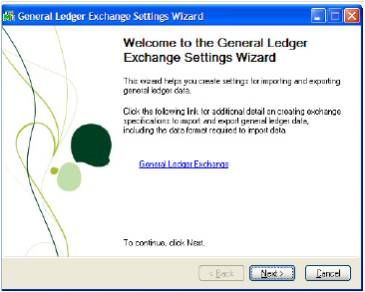
Click Next
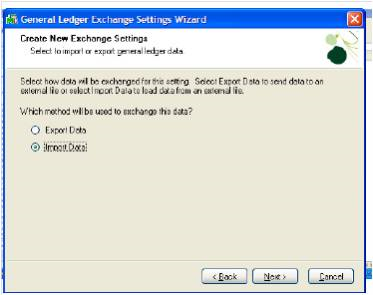
Select Import Data, and Click Next:
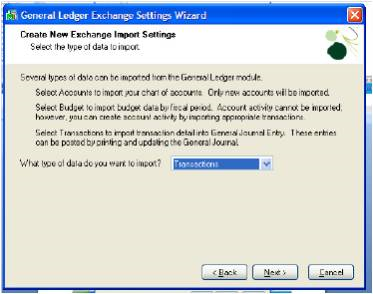
Select Transactions and Click Next:
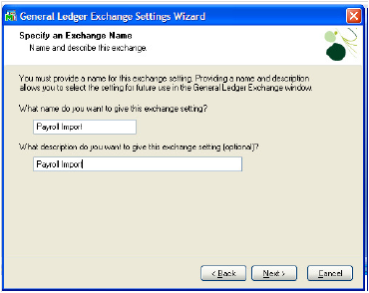
Enter Name and Click Next:
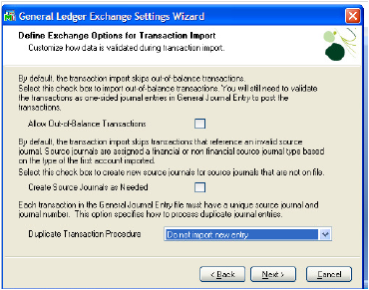
Set Duplicate Procedure to: Do not import new entry, Click Next:
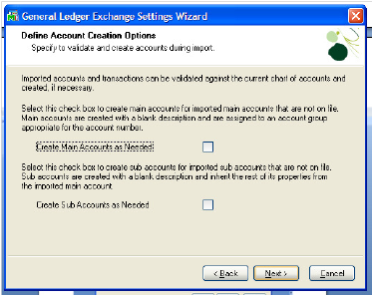
Click Next:
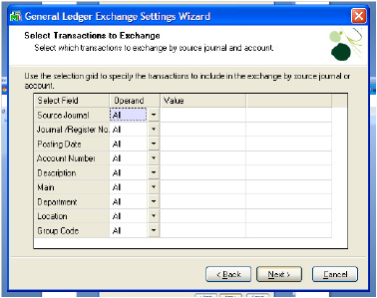
Click next:
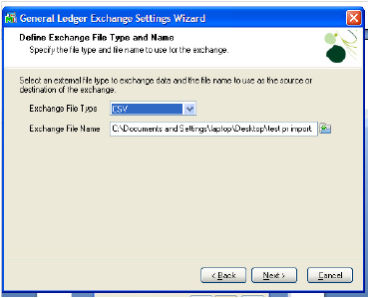
Make sure the file has been saved as a CSV file, set Exchange File Type to CSV, set Exchange File Name, Click next:
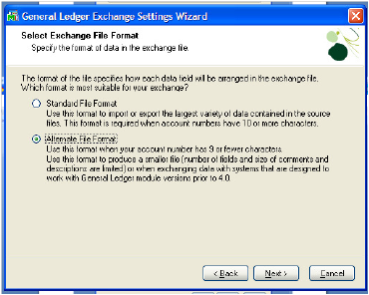
Select Alternate File Name, click next:
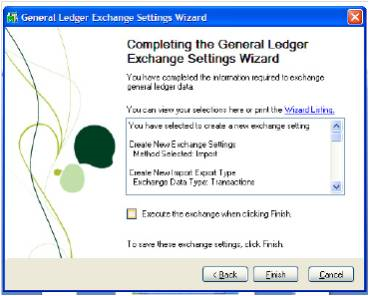
Click Finish:
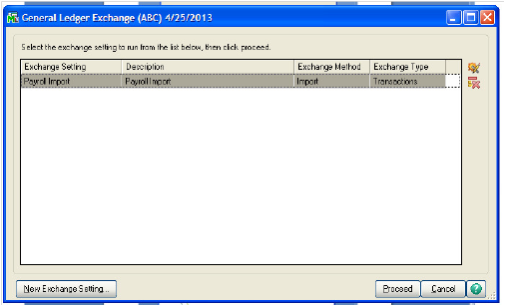
Proceed, and test first, once this is complete then you can go into
General Journal Entry and review the Journal is correct and then Update.
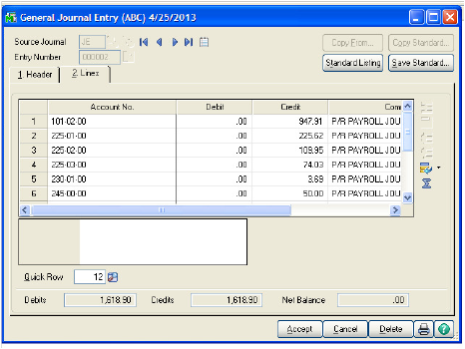
You can then do Payroll Journal Entries each period from General Ledger Exchange shown in the second to last screen shot and save many hours in Journal Entry processing.
Written by Mike Renner, Partner WAC Consulting, Owner at Computer Accounting Services
Answer: You can import ADP Payroll into Sage 100 ERP, using the General Ledger Data Exchange Utility that is a part of the General Ledger module.
First Step: You will need to ask your payroll company to provide you with a CSV file of the General Ledger data. In the example below we have used the Alternate Exchange Format .
Second Step: You will need to setup the Data Exchange, General Ledger>General Ledger Exchange. This will open up a wizard as shown, and follow comments and screen shots below:
Click Next
Select Import Data, and Click Next:
Select Transactions and Click Next:
Enter Name and Click Next:
Set Duplicate Procedure to: Do not import new entry, Click Next:
Click Next:
Click next:
Make sure the file has been saved as a CSV file, set Exchange File Type to CSV, set Exchange File Name, Click next:
Select Alternate File Name, click next:
Click Finish:
Proceed, and test first, once this is complete then you can go into
General Journal Entry and review the Journal is correct and then Update.
You can then do Payroll Journal Entries each period from General Ledger Exchange shown in the second to last screen shot and save many hours in Journal Entry processing.
Written by Mike Renner, Partner WAC Consulting, Owner at Computer Accounting Services


Leave a Reply